
-
"Several of my client's 3D projects are in areas where subtle faulting can significantly impact their production, and having OpendTect's attribute tools such as Ridge Enhancement can really make a difference when deciding where to drill!"
--W. Michael "Mike" Cline, Consulting Geophysicist, T/X Resources -
"We greatly appreciate dGB's responsiveness to our business needs."
--Bruce Shang, Ex Marathon Oil Corporation -
"We want to sincerely express appreciate to dGB for donating OpendTect to our University, and for giving a scintillating lecture on of the operational principle and case histories of the software early this year. Since the installation of OpendTect in our University, the quality of our teaching and research has significantly improved. We now have several students using one aspect or the other of the OpendTect for their projects (BSc, MSc and PhD). Indeed, this software is world-class and highly innovative."
--Dr. Adepelumi Adekunle Abraham, Senior Lecturer in Geophysics, Obafemi Awolowo University, Nigeria
Latest Blog Posts
-
Free webinar: Past, Present, and Future of AI in Seismic Studies

I am excited to share that Dr. Paul de Groot and I will be presenting a webinar titled "Past, Present, and Future of AI in Seismic Studies" on 23 May 2024 at 18:30 PM CET.
Read more: Free webinar: Past, Present, and Future of AI in Seismic Studies
-
Expanding OpendTect for Everyone
Just a few months back, we embarked on a mission with a focused funding campaign for a new, innovative feature in OpendTect. Thanks to the incredible support and pledges from our community, we're inspired to broaden our horizons. We're now transitioning to a more inclusive campaign, inviting everyone to contribute. Your donations are pivotal in driving the continuous expansion of OpendTect, ensuring it remains a cutting-edge tool in geosciences across both academic and corporate realms.
Why Contribute?
-
Seismic Attribute Computation by the WMPlugin's External Attribute Plugin is Now Available for Viewing
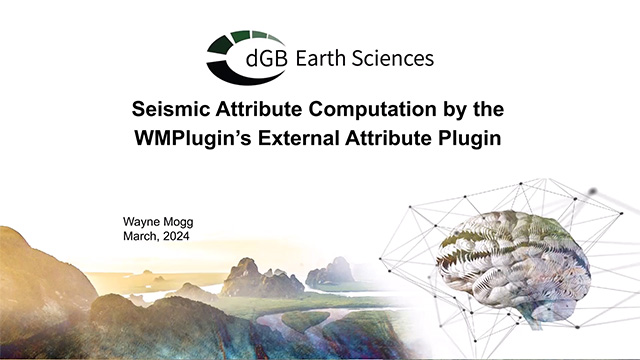
Following the overwhelming response to our previous webinar, where Wayne Mogg, an OpendTect power user and coding guru, showcased the intricacies of using ODBind for seismic attribute calculations, we're thrilled to present the next chapter in this enlightening journey.
In this second installment, Wayne focuses on harnessing the power of Python in OpendTect, facilitated by the innovative WMPlugins external attribute plugin.